Highly Recommended for Vaccine Storage
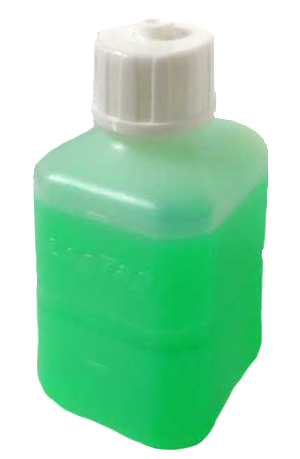
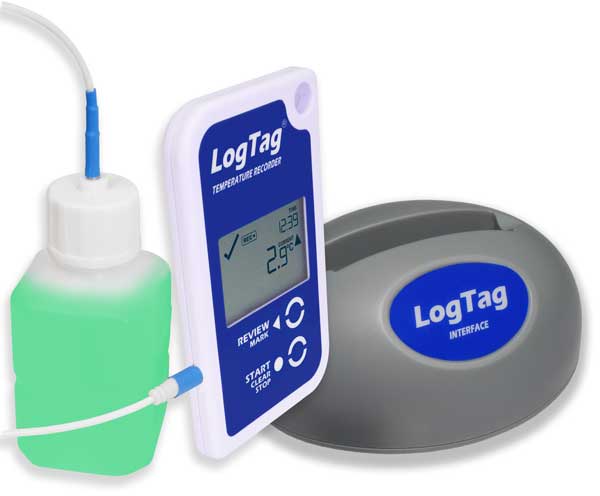
When filled with Glycol (not included but readily available), temperature records taken from a probe inside this leak-proof vial will provide realistic data about liquids stored in the same environment.
Available by itself or with the ST100J Probe.
A$8.00 – A$24.00 incl. GST
Air temperatures can fluctuate much more rapidly than liquid temperatures, so while an air-based logger might show that your refrigerator temperature went into the “danger zone”, the actual liquid contents of the refrigerator may be perfectly fine.
This Glycol Buffer Probe accurately mimics the temperature fluctuations felt by refrigerated liquids. Fill it with Glycol (not supplied but readily available) and place it next to the liquid to be monitored for realistic temperature data.
This is HIGHLY RECOMMENDED for the storage and transport of vaccines and other temperature-sensitive medicines. It is compliant with US CDC requirements for vaccine storage monitoring.
We are a real team, working from our office in Castle Hill, Sydney, providing genuine support! We are here to support you, both now and in the future. Feel free to pick up the phone and give us a call on

LogTag Temperature Recorders are distributed in Australia by


KEEP OUT OF REACH OF CHILDREN
LogTag loggers contain small batteries. Swallowing can lead to chemical burns, perforation of soft tissue, and death. Severe burns can occur within 2 hours of ingestion. Seek medical attention immediately.