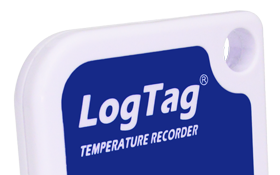
Just like Pavlovas, Lamingtons, and Russell Crowe; LogTags are originally from New Zealand.
The LogTag’s pristine white exterior pays homage to the snow-capped mountains that grace the beautiful landscape, while the vibrant blue hints at the majestic oceans that embrace this small island nation. The Start/Mark button isn’t just a button; it’s a reflection of the Kiwi culture that says, “Get going and mark your spot!”
(That’s what we tell people. The truth is, it looked good.)


From the towering peaks of the Himalayas to the charming flatlands of the Netherlands, you will find Logtags everywhere.
Thanks to their durable construction and ease of use, they have crept into the hearts of people around the world.
They used to say that the word “taxi” exists in almost every language, but it seems “Logtag” has gracefully taken its place as the most universally recognized term.
It’s official – LogTags are the true globetrotters!
In a staggering 9 out of 10 surveys conducted within our office, LogTag has continued to be the world’s best temperature logger with the letters L-O-G-T-A-G. No other temperature logger has been able to rival the LogTag in this ability.

LogTag isn’t content to just bask in the glory of its accomplishments. Armed with cutting-edge AI technology, LogTags are poised to revolutionize the temperature game forever.
Soon, your LogTag will be able to predict the temperature within any fridge, anywhere, anytime, thanks to the upcoming integrated AI Logging avatar ‘Gully Bill’.
Yes, the product is Kiwi.
Yes, it is used all around the world. Every day, LogTag helps make a difference in people’s lives and the drive to provide a safe and reliable supply chain of vaccines to third-world countries was a big part of early devleopment.
And Yes, there are grand plans for new products in the future but AI isn’t one of them.
Our commitment to you is clear:
We want LogTag to be a fantastic product and an essential tool in your work.
If you encounter any issues or have suggestions for making the product even better, please don’t hesitate to reach out. Your feedback is invaluable in helping us continue to improve and meet your needs.
We are a real team, working from our office in Castle Hill, Sydney, providing genuine support! We are here to support you, both now and in the future. Feel free to pick up the phone and give us a call on

LogTag Temperature Recorders are distributed in Australia by


KEEP OUT OF REACH OF CHILDREN
LogTag loggers contain small batteries. Swallowing can lead to chemical burns, perforation of soft tissue, and death. Severe burns can occur within 2 hours of ingestion. Seek medical attention immediately.