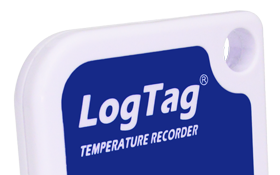

Ensuring that vaccines are stored at the right temperature is critical for their efficacy and safety. When it comes to monitoring the temperature of your vaccine fridge, you need a temperature logger that you can trust. LogTag provides a range of temperature loggers designed specifically for this purpose, making it easier for you to ensure that your vaccines are stored correctly. In this article, we’ll explore how accurate LogTag temperature loggers are and what options are available to help you confirm their accuracy.
All LogTag temperature loggers come with a standard certificate of compliance. This certificate is valid for 12 months from the date of manufacture and provides assurance that the temperature logger meets the specified requirements. However, because of the time between manufacture and sales, the certificate may have expired by the time you receive the product. To ensure that you receive a product with a valid certificate, LogTag includes the manufacture date on their products and communicates the expiration date of the certificate to their customers when they make a purchase.
For customers who need to demonstrate the accuracy of their temperature loggers, LogTag offers two types of Certificate of Accuracy.
This type of certificate is from a lab that is not NATA-certified, but its instruments are tested by NATA-accredited instruments. It provides you with assurance that the temperature logger meets your specific accuracy requirements. The lab measures the error of the temperature logger using 3 reference temperatures and reports the results to you.
The NATA certificate is from a NATA-accredited lab and provides you with a higher level of assurance. It is ideal for customers who require a higher level of accuracy or who need to meet specific regulatory requirements. The NATA-accredited lab measures the error of the temperature logger using 3 reference temperatures and reports the results to you.
To order either of these certificates, call us on 1300 08 20 20 when you place your order.
By using a LogTag temperature logger, you can ensure the safety of your vaccines and ensure that they are stored at the right temperature. Whether you need a standard certificate of compliance or a certificate of accuracy, LogTag has a solution for you. With their range of options, you can choose the best solution for your specific needs.
We are a real team, working from our office in Castle Hill, Sydney, providing genuine support! We are here to support you, both now and in the future. Feel free to pick up the phone and give us a call on

LogTag Temperature Recorders are distributed in Australia by


KEEP OUT OF REACH OF CHILDREN
LogTag loggers contain small batteries. Swallowing can lead to chemical burns, perforation of soft tissue, and death. Severe burns can occur within 2 hours of ingestion. Seek medical attention immediately.