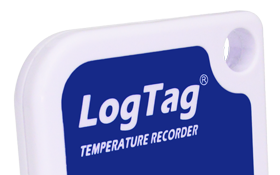

A Logtag is a traditional temperature logger. It is basically a thermometer with memory. It will wake up every couple of minutes, take the temperature, and store it in memory.
You then come along and plug it into your computer, and you get a graph or table of all the readings. This gives you a complete picture as to what has been happening over the past day, week, or month.
It is an awesome audit tool to prove that something was always at the correct temperature. It is independent, can’t be bribed, and is reliable, unlike the underpaid, underage staff that creatively fill in the paperwork.
BUT when things do go wrong, you know exactly when, for how long, and how bad it was. That is very useful information when deciding if stock needs to be disposed as well as trying to work out the cause.
In my next email (benefits of a temperature logger for restaurants) I will cover some additional HUGE benefits for hospitality. Right now, however, I want to focus on how YOU can get the most out of the Logtag temperature logger.
A common issue that EHOs have is knowing that a business is doing the right thing, even when you aren’t there.
Surprise visits are an awesome way of ensuring that they can’t do a quick clean-up before you arrive. BUT that’s a lot of effort and you still have to be timing your surprise visit for when they are likely to be doing the <insert unwanted behaviour here>.
A temperature logger allows you to be monitoring the temperature without being present. It allows you to totally crack down on someone and really expect them to lift their game.
If you aren’t happy with their current performance, you can leave a logger on site and check the results on your return visit.
Or you can send a logger out prior to an inspection to get some really meaningful data.
Either way, the amazing thing about having a temperature logger on site is that they know they are being monitored for an extended period, and that now means they need to fix any problems and not just cover them up.
I mentioned it before, but legally this has some big benefits for you. There is no debate that this is what the temperature was. It’s not based on a one-off check with manually entered notes.
It also means that if your customer is using a temperature logger, you can have more confidence in the records that they are keeping.
With the Logtag configuration, you can enable or disable the red alarm LED. Our recommendation is to disable it.
This means that when you turn the Logtag on, it will always flash green. There is no indication that the logger picked up temperatures that were too hot.
It is amazing how many temperature loggers were accidentally driven over by a fork lift (how did a forklift get into the cafe in the first place?) when they start to flash red.
Before I forget, you do need to configure the Logtag prior to use. The software is free and can be downloaded from logtag.com.au.
To clear the data from it, reconfigure it.
If you reconfigure it, my advice is to have the following options:
And REMEMBER TO PUSH THE BUTTON TO START!!! It will flash red/green when it starts.
I was talking to someone at an EHA conference who asked about a possible application that I had never heard of before. Can temperature loggers help? Absolutely. Are Logtag the right solution? In this case, no.
If you have any process that has a temperature sensitive component to it, temperature loggers can help. Logtags are an affordable, entry level type unit with some basic options (external probe, display etc). Then there are fully automated, cloud based systems (more on this in my next email), and industrial systems.
We do not have the best solution for everyone’s needs, but are happy to discuss them. If we can provide a great solution then that’s what we are here for. Alternatively we may be able to point you in the right direction. Our number is 02 9614 6417 or email [email protected].
We are a real team, working from our office in Castle Hill, Sydney, providing genuine support! We are here to support you, both now and in the future. Feel free to pick up the phone and give us a call on

LogTag Temperature Recorders are distributed in Australia by


KEEP OUT OF REACH OF CHILDREN
LogTag loggers contain small batteries. Swallowing can lead to chemical burns, perforation of soft tissue, and death. Severe burns can occur within 2 hours of ingestion. Seek medical attention immediately.