LogTag Protective Enclosure

LogTag Protective Case

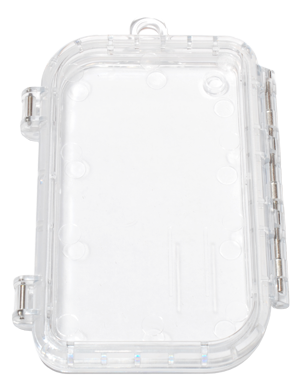
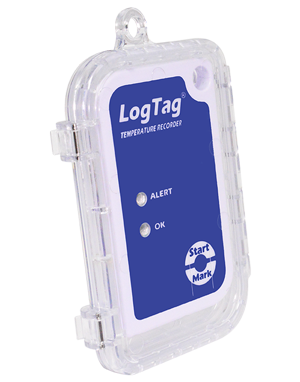
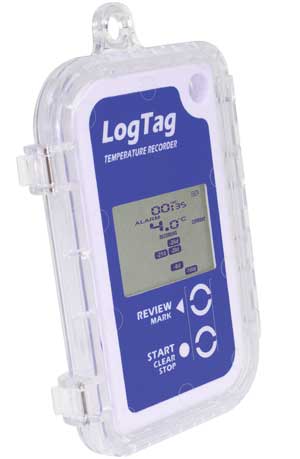
The LogTag Protective Enclosure is specifically designed for LogTag recorder products to allow use in harsh environments. The design of the enclosure minimises the effects of thermal lag caused by additional casing.
This product is in stock.

$27.50 incl. GST

Strong Construction

Made from high-impact poly-carbonate plastic

Clear Plastic

Allows you to see alerts and LCD display without removing the case.

Silicon Seal

The high quality silicon seal offers excellent dust and water resistance

Fits all non-probe LogTags

The LogTag Case is specifically designed for LogTag recorder products to allow use in harsh environments. The design of the enclosure minimises the effects of thermal lag caused by additional casing. In general, the enclosure adds about 70% to the reaction time to temperature change for a given environment.

It is not normally necessary when the Logtag is monitoring refrigerators, freezers, vehicles etc.

Specifications

LogTag® Models Supported Supports all non-External Probe and Humidity products.
Storage temperature range -40°C to +85°C (-40°F to +185°F)
Protection rating IP67 (equivalent to NEMA6) for temperatures 1°C to +40°C (33°F to +104°F)
Case material Clear Polycarbonate
Seal Material Silicon rubber
Chemical resistance In general the polycarbonate material can withstand alcohols and diluted acids well. Problems can occur with hydrocarbons, phenols, esters, ketones and alkalis especially at elevated temperatures.
Size 104mm (L- not including lug) x 76.5mm (W – including clips and hinge) x 13mm D
Weight 41g
T90 thermal performance With TRIX-8 in 1 m/s air: T90 = to 10 minutes. With TRID30-7x in 1 m/s air: T90 = to 17minutes

Other LogTags

[remotepage page="shipping-insurance.html"]
Latency explained

What is latency?

Latency, when it comes to temperature logging, refers to the delay between a change in temperature and when that change is detected and recorded by the logger. This delay can be due to the sensor’s design, the materials it’s placed in, or the logging interval. While it might sound like a disadvantage, latency can actually serve a useful purpose in certain environments—particularly where short-term temperature spikes are common but not harmful.

For example, in a busy commercial fridge, the temperature may briefly rise every time the door is opened. A logger with high latency won’t immediately react to these short fluctuations, helping to avoid unnecessary alarms or false data indicating a problem when there isn’t one. In these cases, a slight delay in response acts like a filter, focusing attention on real issues—such as prolonged exposure to unsafe temperatures—while ignoring the everyday ups and downs that don’t affect product quality or safety.

Differrnt connections

Connecting your logger

Depending on the type of logger you have, connecting your logger to your PC means either:

  • inserting into the Reader,
  • plugging it into a USB port, or
  • connecting it via a USB cable.
comparing gen1 and gen 2

What's so good about USB?

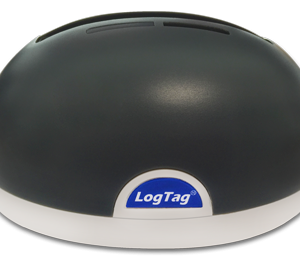
First Generation LogTags use a separate Reader (sometimes called a dock) for configuration and for downloading recorded data. 

The Second Generation loggers only require a USB port or cable. Apart from saving the cost of the Reader, this makes them much better suited for shipping, because the recipient doesn’t need a LogTag Reader to download a report about the shipment’s journey.

comparing gen1 and gen 2